Students
Choose a student to edit their IEP.
Student Templates
Edit the default IEP for new students. Existing student IEPs keep their saved content.
Right-click a Sheet tab, row or cell for editing actions. Click a dropdown in the sheet to change its value.
IEP Report
Select an action to undo that action and all later edits. Right-click Undo or press ⌘Z / Ctrl+Z to undo the latest edit.
Choose a different IEP report for this student. The label describes the IEP period, not the online save date.
Version
No saved revisions available.
Revision dates show when each saved version was recorded online. Select a revision to view it.
Restoring creates a new revision. Previous versions will remain available.
Swipe sideways across the IEP page to view and edit every column.
Individual Educational Plan Report
Edit name, birth date, IEP duration and date of plan here. Save to retain your changes; Export PDF uses the values currently shown, even before saving.
| Main Concern: Present Ability | Aims/Long Term Goals | Evaluation |
|---|
Import Apple Numbers
Teacher Accounts
School administrators create each teacher login and choose the department.
The teacher can sign in immediately with this email and password. Passwords are sent securely to Supabase Auth and are never displayed or stored in the School IEP database.
Transfer Student
Move a student between EI, Primary and Pre-Vocational without losing historical IEP records.
All previous IEP records remain attached to the Student ID. Only authorized staff may transfer students; changes are recorded in Transfer History.
Transfer History
Help & Tutorial
Quick answers and illustrated steps for School IEP teachers.
Type a keyword or choose a quick button above. No AI or extra login required.
Frequently Asked Questions
Tap a question to see a short answer.
Video Tutorials
Watch how to use School IEP on your device.
 ▶
ComputerComputer TutorialSchool IEP on a desktop or laptop.Watch video on YouTube ↗
 ▶
iPadiPad TutorialSchool IEP on an iPad or tablet.Watch video on YouTube ↗
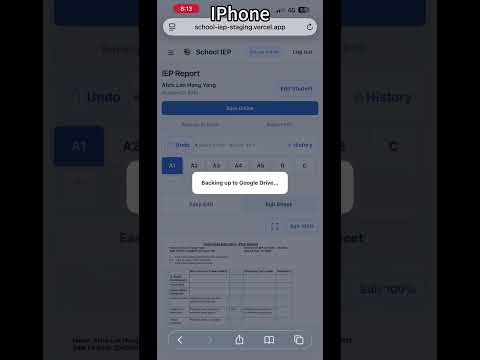 ▶
PhonePhone TutorialSchool IEP on iPhone or Android.Watch video on YouTube ↗
 ▶
ImportImport Numbers TutorialLearn how to bring Apple Numbers files into School IEP.Watch video on YouTube ↗
Teacher Tutorial PDFsExpand to view or download PDF tutorials. 7 PDFs
Upload / Replace Tutorial PDFs
School Admin only. Upload original guides 1–6 or the new combined 20-page guide 7. You may select just the combined PDF downloaded from this chat. All PDF guides remain private for signed-in School IEP staff.
A PDF may be updated without changing the FAQ.
Manage Students
Move teachers and students. Save Structure to apply changes.
Blue: Department · Orange: Teacher · Green: Student · Drag or use Move.Tap Move to reassign. Deletions require separate confirmation and verified backups.
System Health
School IEP System Overview
Backup & Storage
- Latest Full-System Backup · Google Drive
- Not checked
- Backup Verification
- Not checked
- Last Checked
- Not checked
Original Files Review
Ready to reviewNot checked
- Maintenance Mode
- Not checked
- Automatic Failed Import Cleanup
- Not checked
Not checked
Manual cleanup requires your active Maintenance Mode. Files are archived and verified before deletion. Automatic cleanup only processes eligible failed imports after 24 hours.IEP History Management
Awaiting verificationHistory usage not checked
Not started
Not checked
Google Drive safety archives are verified before any deletion. Current IEPs and latest revisions stay protected. History cleanup requires Online mode.Read-only checks. No student records will be changed.
Possible Duplicate Students
Same names are a warning only. Do not merge or delete students without checking Student ID and date of birth.
Audit History
Latest 100 recorded actions.
Backup & Restore
School-controlled encrypted backups; never shared with teachers by default.
Maintenance Mode
Enable maintenance before using Bulk Edit.
Current User Status
See recently active users before enabling Maintenance Mode.
| Name | Role / Department | Status |
|---|
Bulk IEP Edit V3
Export IEP text, formatting and row/page structure for ChatGPT, review changes, then back up and apply. No restore or student replacement.
1. Export Editable IEP
2. Import Edited IEP
Keep IDs, revisions and before values unchanged. Modify after / after_options or after_layout formatting. Row/page insertion and deletion use structure_ops. Deletions require extra confirmation. Existing answers outside removed rows/pages are protected. V1/V2 JSON is still accepted.
Editable export is not encrypted. Exclude entire sensitive cell entries or students before sharing; keep original before values unchanged. Keep it private. School Admin only.
Select students to export.
Bulk Edit History
View saved revisions and roll back eligible batches during active Maintenance Mode.
Download School Data
Export students, assignments, IEP answers and transfer history as a JSON backup.
Google Drive Backup
Creates an AES-256 encrypted backup in the administrator's private Google Drive folder.
The Drive folder remains private. Keep the separate recovery key safe.Monthly Auto Backup
Encrypted full-site archive in the school's Google Drive. School Admin only.
Monthly backups are not yet configured or verified.
Monthly Backup History
How to restore the full website from Google Drive
If the website is still online, the Restore section below can merge its legacy JSON data backups only. A full-site archive restores database, Auth and Storage separately, using the offline recovery kit. If Supabase or Vercel is unavailable, download a full archive from the school Google Drive and run the recovery kit with the private recovery key on a secure computer. Test on a separate project before replacing live data.
Open school Google Drive (select the school-owned Google account).
Restore from Google Drive
Choose an encrypted backup, inspect it, then safely merge it into the database. Existing extra records are not deleted.
Before any restore, the system automatically creates a fresh encrypted safety backup. Restore is a merge and does not restore original .numbers files stored separately.
Individual Student Backup
Create a separate encrypted Drive backup of one student's IEPs, history, and stored source files.
Individual Student Restore
Browse encrypted Drive backups for current or deleted students, preview a file, then restore it.